Barpie: Status Bar Notch Pets — Make Your Android Screen Come Alive with Adorable Companions
In the world of mobile personalization, quirky and creative apps have become a major way for users to express their style, mood, and personality through their device. Barpie: Status Bar Notch Pets is one such app that embraces this trend by bringing whimsical animated pets and characters right into one of the most overlooked places on your phone: the status bar and camera notch area.
What makes Barpie special is how it transforms an element of your phone that’s usually just functional — where battery levels, signal strength, and notifications live — into a joyful and interactive space that greets you with cute characters whenever you glance at your screen. Let’s take an in-depth look at what Barpie is, how it works, why it’s resonating with users, and how it reflects a broader trend in smartphone customization.
What Is Barpie: Status Bar Notch Pets?
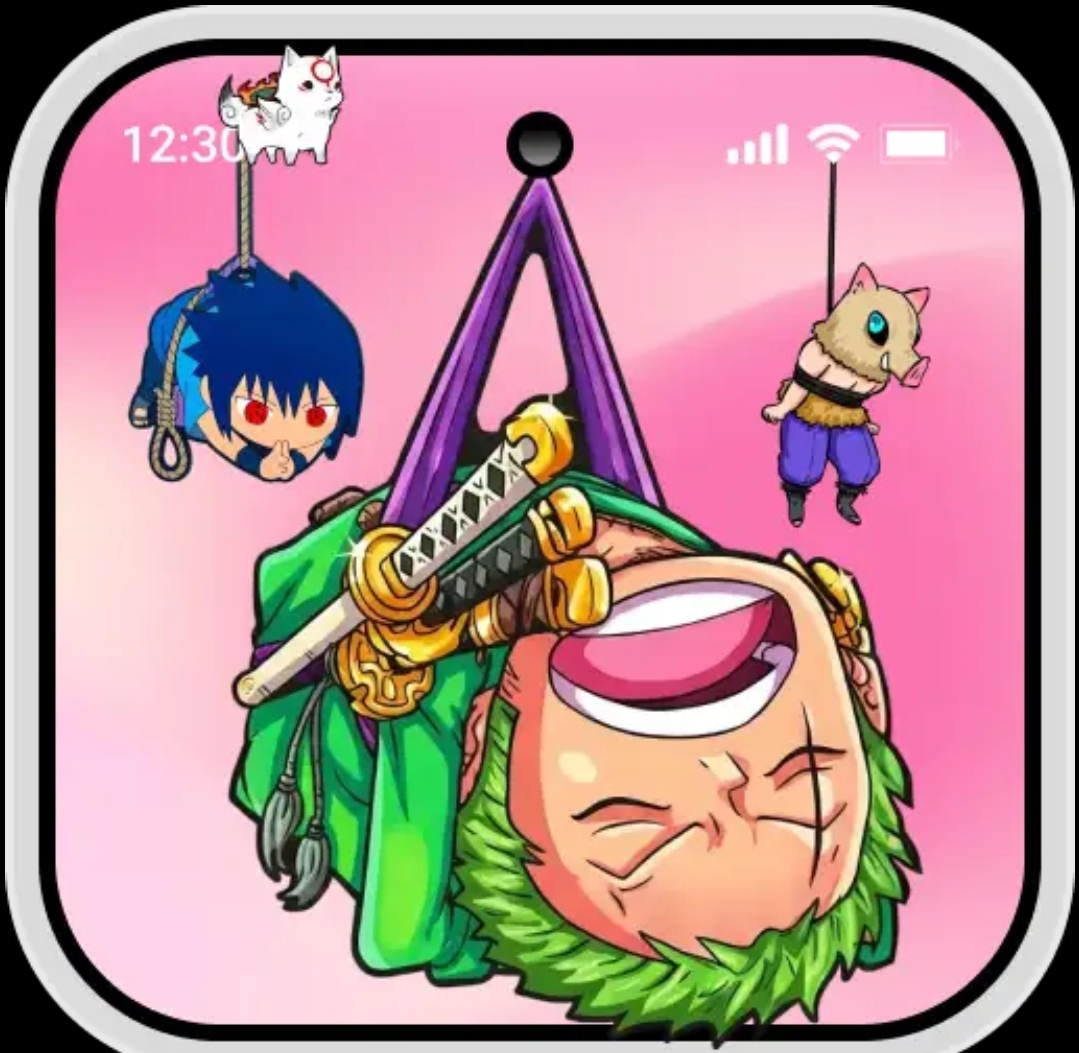
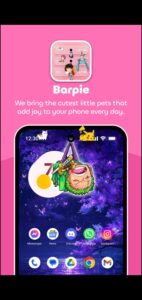
Barpie: Status Bar Notch Pets is an Android app designed to place animated characters — usually playful pets — along your phone’s status bar or near the notch (camera cutout) on screens that have one. These tiny companions aren’t part of a game; they’re visual enhancements that move, interact, and stay visible at the top of your screen, whether you’re browsing social media, checking email, or just turning on your phone.
The idea sounds simple, and it is — but it’s also unexpected. Most people think of customization in terms of wallpapers, themes, or widgets. Barpie goes a step further by adding dynamic, animated elements that can react to what’s happening on your phone — making your device feel alive, cheerful, and uniquely “you.”
Key Features of Barpie
- Animated Pets in the Status Bar – Watch cute animals like cats, dogs, and other characters stroll, hop, and animate right above your notifications and icons.
- Notch Characters – On phones with a camera cutout or notch, quirky characters can hang or sit around that space, turning what’s usually a distraction into something cute.
- Always On Display Compatibility – Your pets remain visible even when the app isn’t actively open, making them part of your phone’s everyday life.
- One-Tap Setup – The app is easy to use, with a simple setup that doesn’t require technical skills.
- Customization Options – Users can often resize, move, or swap characters based on mood, theme, or personal preference.
How Barpie Works
Though Barpie’s feature set is playful, its technical approach is worth noting. Once installed, the app creates an overlay that appears above system UI elements like the status bar icons. This overlay is what animates the pets and characters. Unlike widgets or launcher themes that change home screens, Barpie’s animations are persistent — meaning they stay visible across apps and do not require launcher replacement or complex tweaks.
The process can be broken down into these simple steps:
- Install the App – Barpie is available as a free download for Android devices (recommended from official sources like Google Play or trusted APK sites).
- Select Your Pet or Character – Choose which animated companion you want to appear. Options may range from adorable cats to fantastic creatures depending on the app version.
- Customize and Apply – Adjust size, placement, and settings so the pet fits well with your layout and screen type.
- Enjoy Your Animated Status Bar – Your pet will now accompany you in menus, on the lock screen, and even while using other apps.
What’s cool is that many similar apps — like Yumo: Status Bar & Notch Pets — offer interactive elements where pets react to system states such as battery level or notifications. While Barpie focuses mainly on visual delight, the success of these apps shows a broader interest in making the status bar more than just a utility space.
Why Barpie and Notch Pets Are Popular
1. Personalization Beyond Wallpapers
Most smartphone personalization focuses on backgrounds, icon packs, and themes. Barpie introduces motion and charm into an area most users ignore: the top of the screen. This novelty makes it stand out.
2. Emotional Connection with Digital Pets
Digital pets like Tamagotchis, desktop companions, and widgets have a long history in tech culture — people enjoy digital characters that feel alive and responsive. Barpie taps into this emotional appeal by placing pets in a place you see constantly.
3. Lightweight, Fun Experience
Users don’t have to overhaul their phone or make deep system changes. It’s a light, fun, and optional enhancement that works with almost any Android device with a status bar and/or notch.
4. Community and Aesthetic Trends
Apps that lean into aesthetic trends — kawaii characters, anime pets, whimsical designs — tend to gather passionate communities. Whether someone is into soft pastels or bold chrome themes, adding a tiny animated pet can tie into a complete aesthetic.
Finally, while the novelty might seem minor, in practice these playful touches can make everyday tasks more engaging. Instead of glancing at static icons or notifications, users see movement, personality, and small “moments of joy” — a mood boost rooted in thoughtful design.
Considerations and Limitations
As fun as apps like Barpie are, there are some practical aspects users should keep in mind:
System Performance
Because the app overlays animations on top of the status bar, it may use additional system resources — especially on older or less powerful devices. Some users report performance drops or increased battery usage with similar status bar pet apps.
Compatibility
Barpie is designed for Android and may require Android 10.0 or later. Devices without a notch can still use status bar pets, but animations tied to a camera cutout won’t have that notch interaction.
Download
Aesthetic Preference
While many users love it, others may find pets distracting or not in line with a minimalist layout. Luckily, Barpie allows customization and quick on/off options.
The Broader Trend: Fun UI Personalization
Barpie represents a larger movement in mobile UX: users want phones that feel personal, playful, and expressive. This isn’t just about static wallpapers — it’s about emotional design. Animated pets in status bars reflect a desire to make technology engaging in subtle ways, blending utility with delight.
Apps like Yumo and others prove there’s a market for this type of customization, especially when it’s easy to install and enjoyable to view. Whether it’s a tiny kitten walking beside your battery icon or a whimsical creature hanging off your notch, these micro-interactions make everyday phone use more memorable.
Conclusion
Barpie: Status Bar Notch Pets isn’t just another personalization app — it’s a creative reimagining of how we interact with our phones’ interface. By turning something purely functional into something animated, fun, and emotionally resonant, Barpie gives users a chance to make their devices reflect more than utility — it reflects personality.
Whether you’re a fan of cute pets, anime aesthetics, or just want something different, Barpie offers an accessible, lighthearted way to make your Android device feel welcoming and alive. And in a world where phones have become extensions of ourselves, these small touches can make a big difference in how we experience our technology every day.