Android RAM: What It Is and Why It Matters
Android
RAM is one of the most important components of your smartphone. RAM stands for Random Access Memory, and it helps your phone run apps smoothly and quickly. The more RAM your Android device has, the better it can handle multiple apps and tasks at the same time.
What Is RAM in Android?
RAM is a temporary memory that stores data currently being used by your phone. Unlike internal storage, RAM does not permanently save files like photos, videos, or apps. Instead, it holds active information so the processor can access it instantly.
For example, when you open apps like WhatsApp, YouTube, and Instagram, Android stores their active data in RAM. This allows you to switch between apps without reloading them each time.
How RAM Works on Android Phones
When you launch an application:
- The app is loaded from storage into RAM.
- The processor uses the data stored in RAM.
- The app remains in RAM while running in the background.
- If RAM becomes full, Android automatically closes less important background apps.
This process helps Android manage memory efficiently and keep the phone responsive.
How Much RAM Do You Need?
The amount of RAM you need depends on how you use your phone.
2GB to 3GB RAM
- Suitable for basic tasks such as calling, messaging, and light browsing.
- May struggle with modern apps and multitasking.
4GB RAM
- Good for everyday use.
- Handles social media, video streaming, and casual gaming.
6GB to 8GB RAM
- Excellent for multitasking.
- Ideal for gaming and productivity apps.
12GB RAM and Above
- Best for heavy gaming, video editing, and power users.
- Common in flagship Android phones.
Virtual RAM in Android
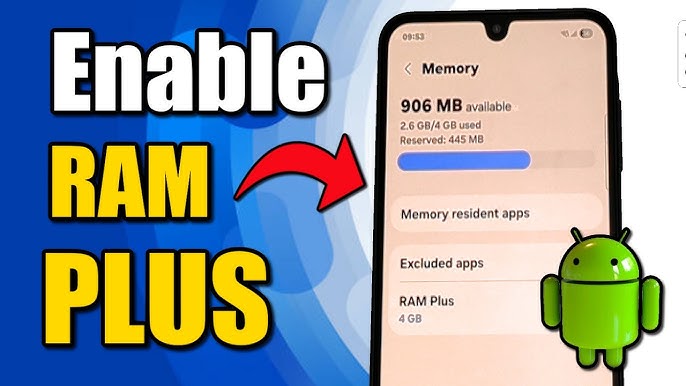
Many modern smartphones offer a feature called Virtual RAM or RAM Expansion. Brands like Samsung, Xiaomi, and OnePlus use part of the phone’s internal storage as extra RAM.
While virtual RAM can improve multitasking slightly, it is slower than physical RAM and should not be considered a full replacement.
Benefits of More RAM
Having more RAM provides several advantages:
- Faster app switching
- Better multitasking
- Improved gaming performance
- Reduced lag and stuttering
- Smoother overall experience
Does More RAM Always Mean Better Performance?
Not always. RAM is important, but other hardware also affects performance, including:
- Processor (CPU)
- Graphics chip (GPU)
- Storage speed (UFS or eMMC)
- Software optimization
A well-optimized phone with 6GB RAM can outperform a poorly optimized device with 12GB RAM.
How to Check RAM on Android
You can view your phone’s RAM by following these steps:
- Open Settings.
- Tap About Phone or Device Care.
- Select Memory or RAM.
You can also use apps like CPU-Z or Device Info HW for detailed information.
Tips to Free Up RAM
To improve performance:
- Close unused apps
- Restart your phone regularly
- Remove unnecessary apps
- Keep software updated
- Use lightweight apps when possible
Best RAM Size for Different Users
| User Type | Recommended RAM |
| Basic Users | 4GB |
| Average Users | 6GB |
| Gamers | 8GB to 12GB |
| Power Users | 12GB+ |
Conclusion
Android RAM plays a major role in your phone’s speed and multitasking ability. It temporarily stores active data so apps can run efficiently. While more RAM generally improves performance, the processor and software optimization are equally important. For most users, 6GB to 8GB RAM offers an excellent balance of performance and value.