Clear Mobile Password PIN Help: Complete Guide to Unlock and Secure Your Phone
In today’s digital world, smartphones store our personal data, photos, banking apps, social media accounts, and important documents. To protect this information, mobile password PINs, patterns, and biometric locks are widely used. However, forgetting your mobile password PIN is a common problem faced by millions of users worldwide. When this happens, panic often sets in because access to the device becomes impossible.
This article provides a complete guide on clear mobile password PIN help, explaining legal, safe, and practical methods to regain access to your phone while keeping your data and privacy secure.
What Is a Mobile Password PIN?
A mobile password PIN is a numeric security code used to unlock a smartphone. It usually consists of 4 to 6 digits and acts as the first line of defense against unauthorized access. Along with PINs, modern phones also support:
- Pattern locks
- Passwords (alphanumeric)
- Fingerprint authentication
- Face recognition
Even when biometrics are enabled, the PIN is still required after restarts or multiple failed attempts.
Common Reasons for Forgetting a Mobile PIN
Forgetting a mobile password PIN can happen for many reasons, including:
- Changing the PIN frequently
- Using complex or uncommon numbers
- Not unlocking the phone for a long time
- Children or friends changing the PIN accidentally
- Buying a second-hand phone without proper reset
Understanding the cause helps in choosing the right recovery method.
Important Things to Know Before Clearing a Mobile PIN
Before attempting to clear or reset your mobile password PIN, keep these points in mind:
- Some methods may erase data if backups are not available
- Manufacturer security policies cannot be bypassed legally
- Google or Apple account verification is required after reset
- Unauthorized unlocking tools can be unsafe and illegal
Always use official and trusted methods.
Method 1: Use Google Account (Android Devices)
For older Android versions, Google provides a built-in way to unlock devices.
Steps:
- Enter the wrong PIN multiple times
- Tap “Forgot PIN” or “Forgot Pattern”
- Sign in with your Google account
- Set a new PIN
Pros:
- Official and secure
- No data loss
Cons:
- Works mainly on older Android versions
- Requires internet access
Method 2: Factory Reset via Recovery Mode
Factory reset is one of the most commonly used solutions to clear a forgotten PIN.
Steps (General):
- Power off the phone
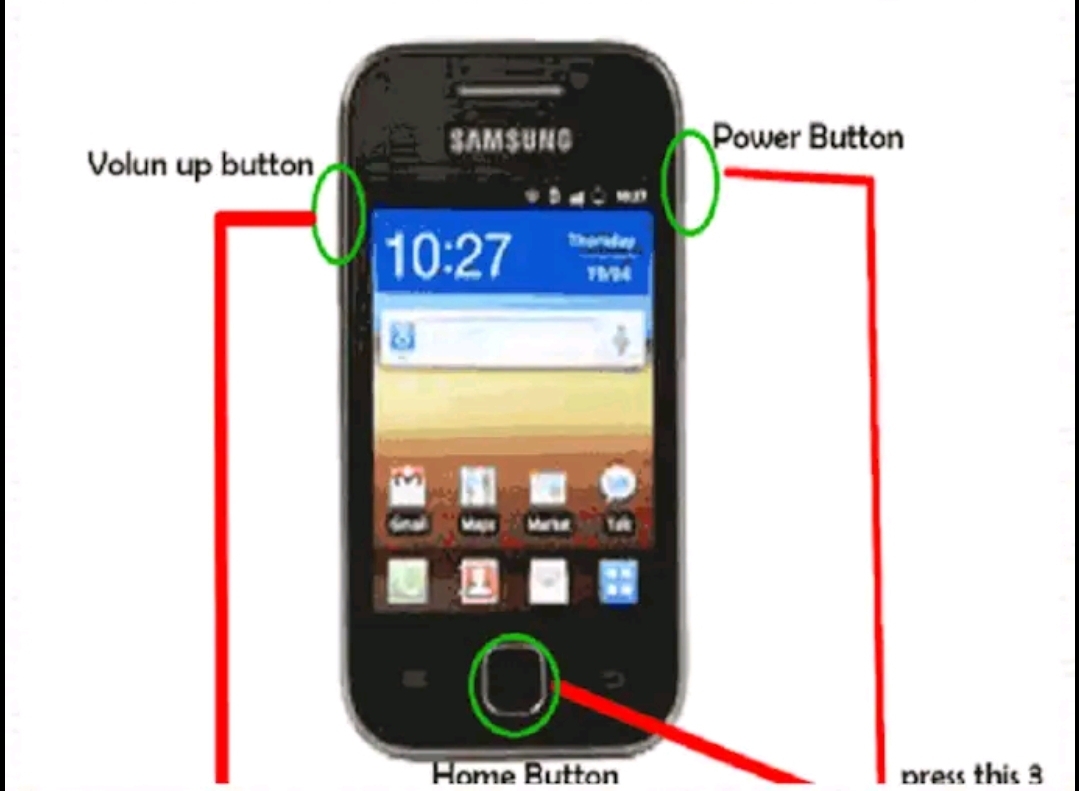
- Press and hold Power + Volume Up/Down
- Enter Recovery Mode
- Select Wipe Data/Factory Reset
- Reboot the device
Important Notes:
- All data will be erased
- Google account verification (FRP) will be required after reset
Best For:
- Users who remember their Google account details
- Phones with no important local data
Method 3: Find My Device (Android)
Google’s Find My Device feature allows remote reset.
Requirements:
- Google account linked to the phone
- Internet connection enabled
Steps:
- Visit Find My Device on another phone or PC
- Log in with your Google account
- Select the locked device
- Choose Erase Device
Benefits:
- Official and secure
- Can be done remotely
Method 4: Samsung Find My Mobile (Samsung Users Only)
Samsung offers its own unlocking service for registered devices.
Steps:
- Go to Find My Mobile
- Log in with Samsung account
- Select the device
- Choose Unlock
Advantages:
- No data loss in many cases
- Very reliable for Samsung users
Method 5: iPhone PIN Reset Using Apple ID
For iPhones, Apple provides secure options to reset a forgotten PIN.
Using iTunes or Finder:
- Connect iPhone to PC
- Open iTunes/Finder
- Put iPhone in Recovery Mode
- Choose Restore
Using iCloud:
- Log in to iCloud
- Select the device
- Tap Erase iPhone
Important:
- Apple ID login is mandatory after reset
- Data can be restored from iCloud backup
Are Third-Party PIN Unlock Apps Safe?
Many apps and tools claim to clear mobile password PINs instantly. Most of them are unsafe or fake.
Risks:
- Malware and spyware
- Data theft
- Permanent phone damage
- Legal issues
Recommendation:
Always avoid unauthorized unlocking tools and stick to official recovery methods.
Download
Conclusion
Forgetting a mobile password PIN can be frustrating, but it is not the end of the road. With official tools like Google account recovery, factory reset, Find My Device, Samsung Find My Mobile, and Apple ID services, users can safely regain access to their phones. The key is to follow legitimate methods, avoid risky third-party tools, and always keep account credentials and backups secure.